Log, understand, share: three steps
BPlus is the calm space between taking a reading and talking to your doctor. Here's the whole flow.
Log or scan a reading
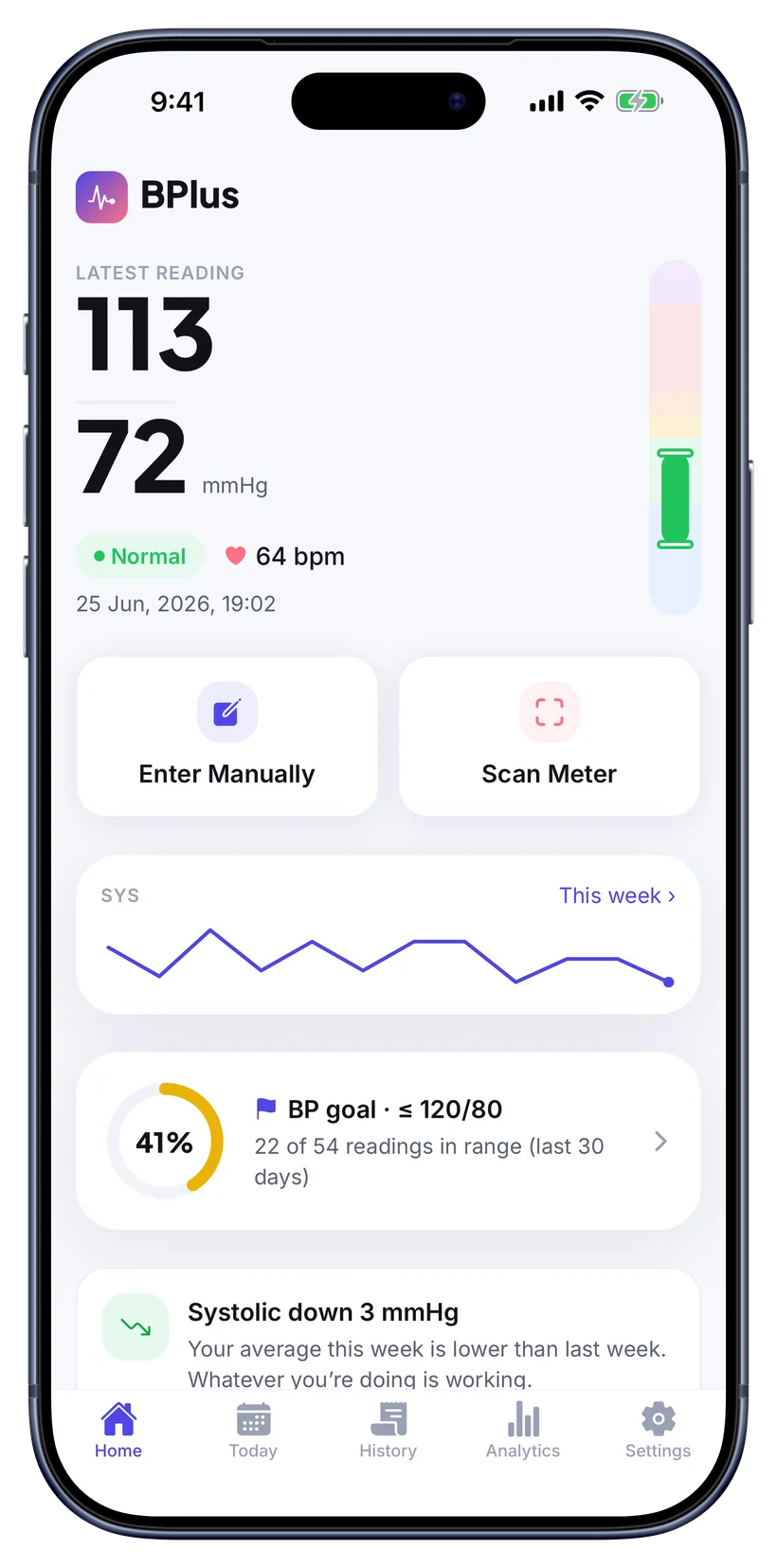
Open BPlus and add a reading the way that suits you. Tap in your systolic, diastolic and pulse by hand, or use Scan Meter to hold the camera over your home blood-pressure monitor: BPlus reads the figures off its display so you just confirm and save. Each entry is time-stamped and sorted onto the color-coded scale automatically.
- Manual entry or camera scan
- Pulse / BPM captured too
- Auto-categorized Normal → Crisis
See your trends & insights
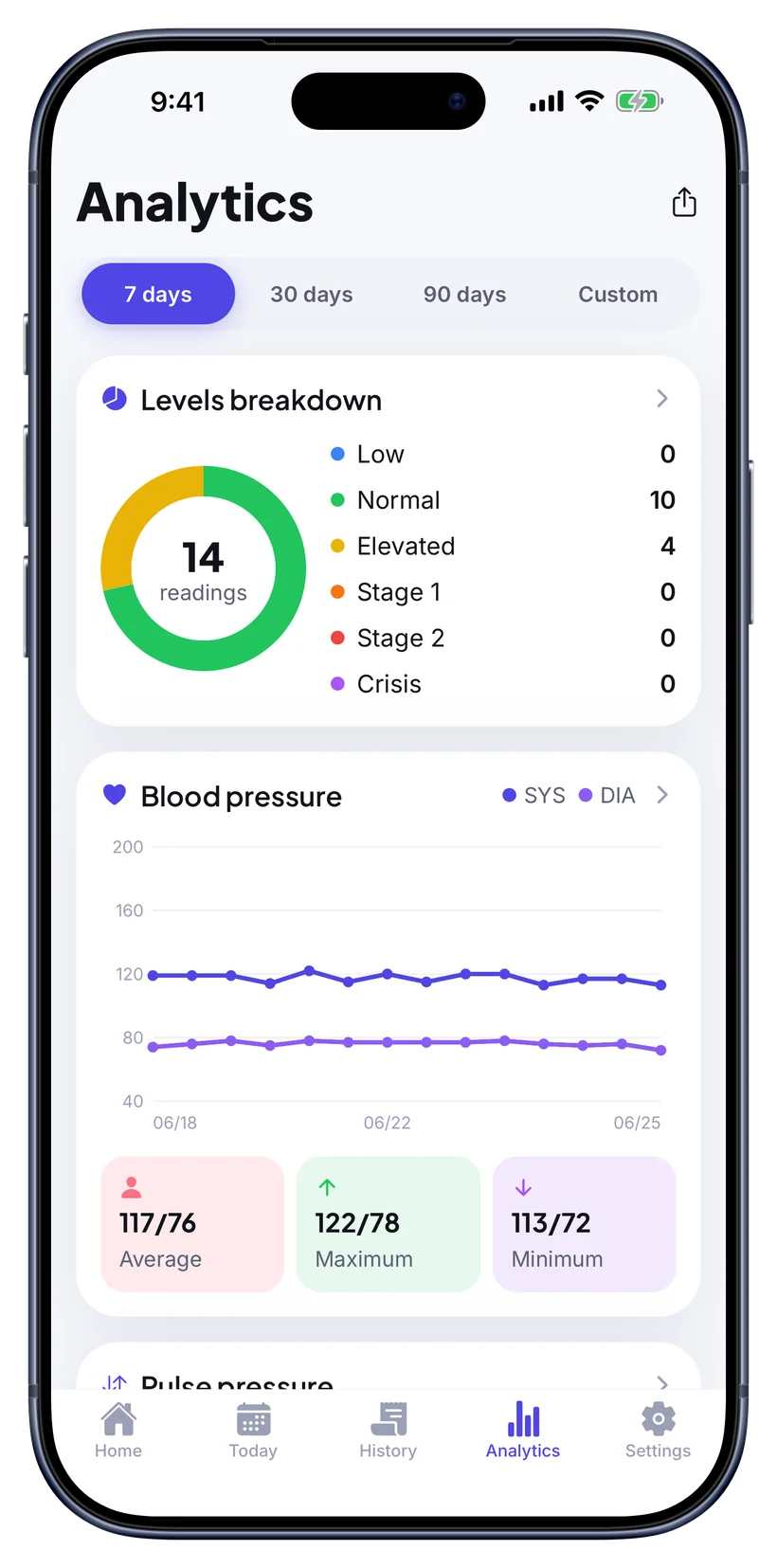
As your log grows, BPlus shows the shape of it: systolic and diastolic over 7, 30 or 90 days, your average, high and low, and how often you land in each category. Smart insights surface the meaningful changes, like “systolic down 3 mmHg this week”, so you always know whether things are heading the right way.
- Trend lines & levels breakdown
- Average, max and min at a glance
- Goal tracking toward ≤ 120/80
Export a report for your doctor
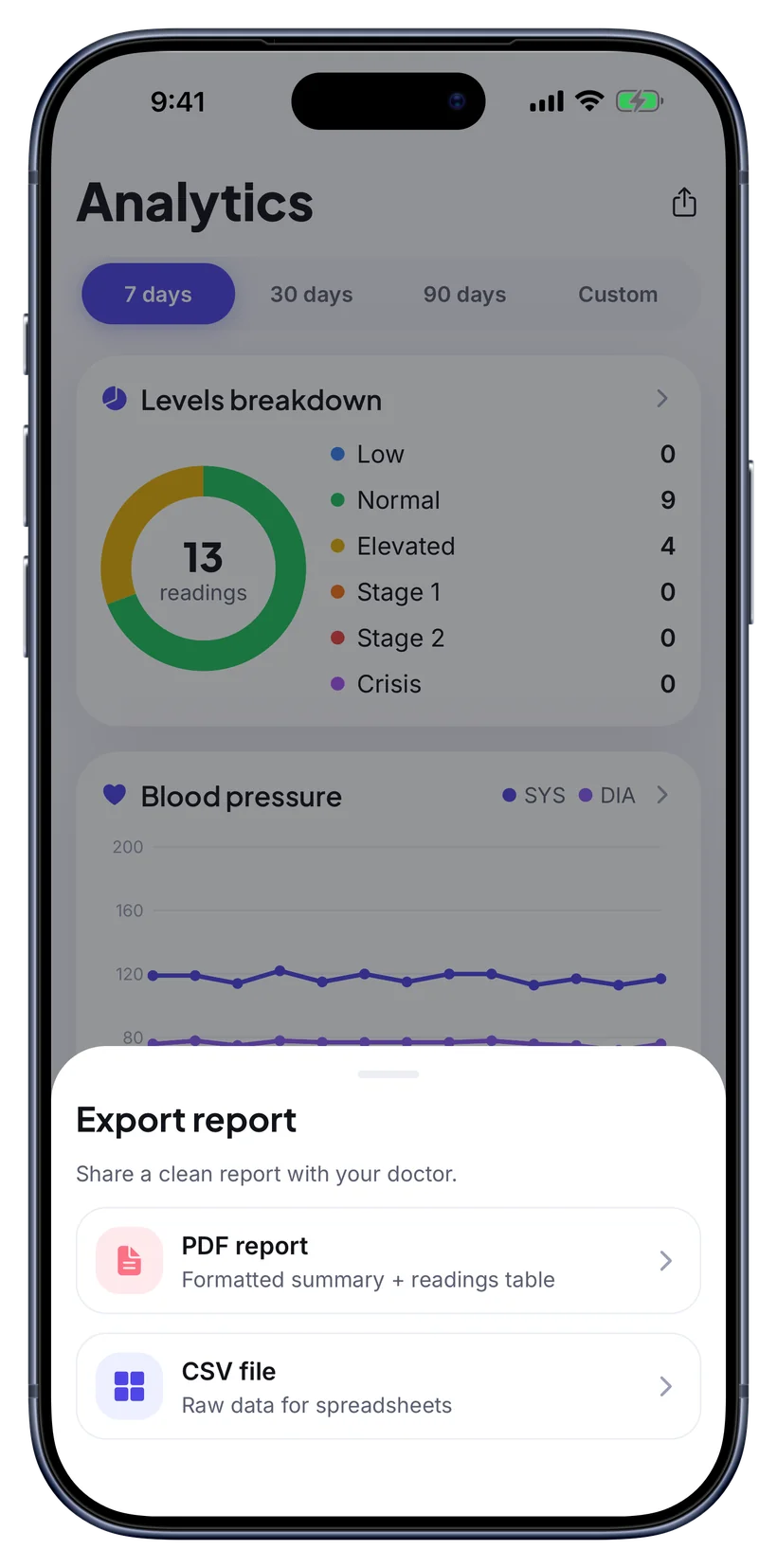
When it is time to see your clinician, export a tidy report of your readings, averages, categories and trends as a PDF or CSV. Bring it to the visit or send it ahead, so the conversation starts from real data instead of a guess about how you have been feeling.
- Doctor-ready PDF or CSV
- Readings, averages & categories
- Share or print in one tap
You measure. BPlus makes sense of it.
BPlus never takes a reading from your body or your phone. You use your own validated monitor, and BPlus does the rest: capturing, organizing and explaining your numbers.
BPlus does not measure your blood pressure
Your phone is not a cuff
It does not diagnose or treat
Start your blood-pressure log today
It takes one reading to begin. Log it, track it, and bring real numbers to your next visit.
Normal · Elevated · Stage 1 · Stage 2 · Crisis