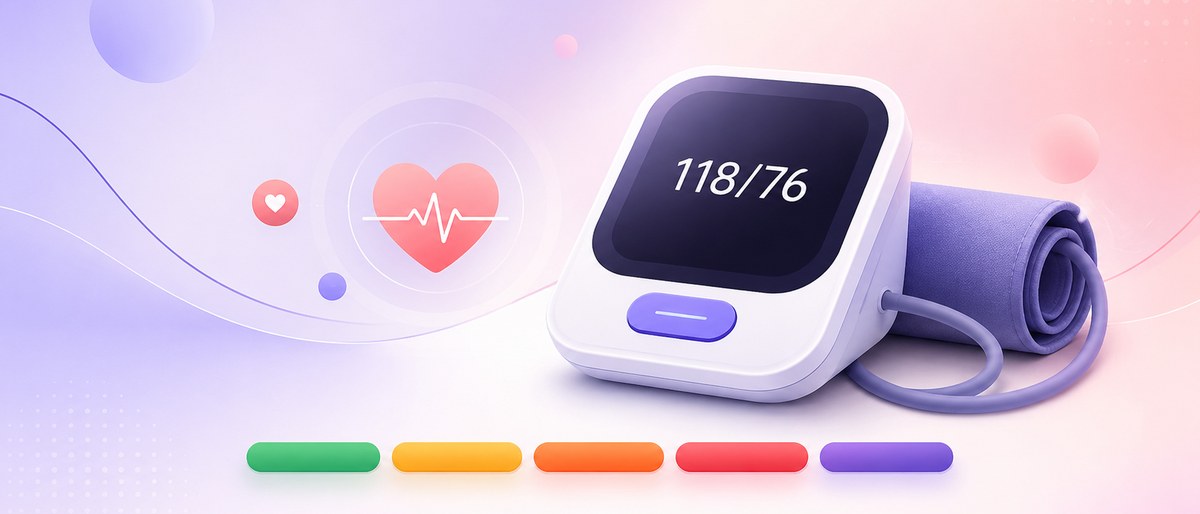
How to Read a Blood Pressure Monitor Display
On a blood pressure monitor display, SYS (top) is systolic, DIA (middle) is diastolic and PUL (bottom) is your pulse. Here's what each icon means.
This article is educational content, not medical advice. Always talk to a healthcare professional about your blood pressure.
The thresholds on this page follow the ACC/AHA guideline used in the United States (set in 2017 and kept in the 2025 update), which sets high blood pressure at 130/80 mmHg. Other bodies differ: ESH in Europe and NICE in the UK still define it at 140/90 mmHg. Check the guideline your own clinician uses.
To read a blood pressure monitor display, look at the three stacked numbers. The top one, labelled SYS, is your systolic pressure. The middle one, DIA, is your diastolic pressure. The bottom one, labelled PUL or marked with a small heart, is your pulse in beats per minute. You write the first two as a pair, top over middle, so a screen showing 128, 82 and 70 means 128/82 mmHg with a pulse of 70.
The two pressure numbers are measured in millimetres of mercury (mmHg). The American Heart Association explains that systolic is the pressure while your heart beats and diastolic the pressure between beats. The pulse is separate: the AHA puts a normal resting adult heart rate at 60 to 100 beats per minute.
The other icons (memory, average, battery, cuff, movement) describe the measurement, not your health. And one number settles nothing: the AHA advises taking 2 readings about 1 minute apart, morning and evening, and keeping a log to share with your doctor. Readings with a systolic above 180 and/or a diastolic above 120 mmHg are the exception, covered below.
Which number is which on the screen?
Most home monitors use the same vertical order, even when the labels differ by brand.
| Position on screen | Common labels | What it is | Unit |
|---|---|---|---|
| Top, largest digits | SYS, systolic | Pressure while the heart beats | mmHg |
| Middle | DIA, diastolic | Pressure between beats | mmHg |
| Bottom, smaller digits | PUL, PULSE, /min, a heart icon | Heartbeats per minute | bpm |
Our guide to the heart rate number on a blood pressure monitor covers the pulse line in more detail.
One odd number? Log it and let the pattern decide. Start my log →
What do the icons and symbols mean?
Your manual has the exact list for your model, usually under "display" or "symbols."
| Symbol | Usually means | What to do with it |
|---|---|---|
| Heart that flashes during inflation | The monitor is detecting your pulse | Stay still and silent until it stops |
| Heart inside a wavy line or "IHB" | An irregular rhythm was sensed during this reading | Repeat after resting; mention it to your doctor if it keeps appearing |
| M, MEM or a numbered slot | You're viewing a stored reading, not a new one | Check the date and time shown with it |
| AVG or a sigma sign | An average of several stored readings | Find out from the manual how many it includes |
| User 1 / User 2 or A / B | Which person's memory the reading is saved to | Use your own slot every time |
| Check mark or "OK" next to a cuff | The cuff is wrapped correctly | If a cuff icon shows a warning, rewrap it |
| Person with motion lines | You moved during the measurement | Rest, sit still and measure again |
| Battery outline | Batteries are low | Replace them soon; weak batteries can cause errors |
| E plus a number, or "Err" | The reading failed | See your manual's error table |
The irregular heartbeat symbol is a screening flag, not a diagnosis, and our post on the irregular heartbeat symbol explains what it can and can't tell you. If you see letters instead of numbers, that's an error code; our guide to blood pressure monitor error codes walks through each family.
Is the number on screen a new reading or a stored one?
Pressing the memory button brings back earlier readings, and on many monitors they look exactly like a fresh one. The clue is the small M or slot number, plus the date and time printed alongside.
Check that the date and time match right now. A clock that reset after a battery change stamps every reading wrongly, so set it whenever you swap batteries.
A device average is only as good as the readings inside it: one taken right after climbing stairs pulls it up. Our guide on how many readings to average covers a clean routine.
What does a colored bar or indicator on the monitor mean?
Some monitors have a colored scale beside the screen or light an indicator when a reading is high. Treat it as a rough guide, because guidelines differ.
Under the ACC/AHA guideline, used in the US, high blood pressure starts at 130/80 mmHg. The ESH and NICE, followed across Europe and the UK, set the clinic line at 140/90. NICE also uses a lower line for home readings: an average of 135/85 or higher counts as raised.
A device's color bar follows whichever scheme its maker chose, which may not match the one your doctor uses, so check the manual for the cut-offs behind the colors. Our explainer on understanding your blood pressure numbers maps readings to the AHA categories.
When the display shows a very high number
A reading with a systolic above 180 and/or a diastolic above 120 mmHg needs a different response from an ordinary high number.
If you also have chest pain, shortness of breath, back pain, numbness, weakness, a change in vision or difficulty speaking, don't measure again: seek medical help immediately.
Without symptoms, the AHA advises waiting about 5 minutes and measuring once more. If the second reading is still above 180/120 (either number), seek medical help immediately. Don't keep re-measuring until a lower number appears.
A quick routine for reading your display
- Wait until the cuff fully deflates and the heart icon stops flashing.
- Check there's no M, AVG or error symbol, so you know it's a fresh reading.
- Read systolic (top), then diastolic (middle), and write them as one pair.
- Note the pulse (bottom) separately, along with any irregular heartbeat or movement icon.
- Take a second reading about 1 minute later, as the AHA recommends, and log both.
Keeping a record of what your monitor shows
A monitor's memory is limited and stays behind when you change devices, so a separate log keeps the full picture.
BPlus is one way to do that. You can type in systolic, diastolic and pulse, or scan your monitor's display with your phone's camera so the numbers go in without typing. The time, date and arm are stamped automatically, and an optional note holds things like "irregular heartbeat icon showed." Readings are color-coded into the five widely recognized ranges, charted over time, and exportable as a PDF or CSV for your appointment. Your data stays on your device, works offline and needs no account.
BPlus is a wellness and logging tool, not a medical device. It doesn't measure blood pressure, and it doesn't diagnose or treat anything. Your cuff does the measuring; BPlus helps you keep track of what it says.
Reading a blood pressure monitor: quick answers
Which number is systolic on a blood pressure monitor? The top one, usually labelled SYS and shown in the largest digits. It's the pressure in your arteries while your heart beats, and it's written first, so a top figure of 124 with 78 below it is a reading of 124/78 mmHg. The third, smaller number is your pulse.
What does PUL/min mean on a blood pressure monitor? It's your pulse rate, the number of times your heart beat per minute during the measurement. It isn't part of your blood pressure. For most adults at rest, the American Heart Association considers 60 to 100 beats per minute normal. A pulse outside that range on several readings is worth mentioning to your doctor.
Why does my monitor show M or AVG? M means you're looking at a reading stored in memory, not a new one; check the date and time beside it. AVG means the device is showing an average of stored readings. How many it includes varies by model, so check your manual before relying on it.
Does a green or red light on my monitor mean I have high blood pressure? Not on its own. The colors follow whichever guideline the maker chose, and ACC/AHA, ESH and NICE set different lines. One reading also proves little. Take readings over several days and share the average with your doctor, who can interpret it against the guideline they use.
Sources
Medical disclaimer. BPlus is a wellness and informational tool that helps you record, organize and understand your blood pressure readings. It is not a medical device and does not diagnose, treat, cure or prevent any disease. BPlus does not measure blood pressure on its own. Always consult a qualified healthcare professional. Readings are not a substitute for a clinically validated blood pressure monitor.